Final Cut Pro X Babbling

Deep Thoughts about FCP X, and why you should be using it.

FCP Exchange – Video and Omissions

Posted by fcpxpert1 on March 14, 2016
Posted in: FCP X, Workflow. Tagged: FCP X Workflow. 2 Comments

The video from the FCP Exchange event has been posted, I’ve added it below. I realized that when listing the tools I use, there were a couple great plugins I neglected to mention so I wanted to do that now…

First is Automatic Duck Import AE – If you use After Effects as part of your workflow, this is indispensable.  It’s an AE plugin so just load your fcpxml right into AE. And if you use shared media, no need to render clips, it’ll link to the proper media. Common effects, compound clips, retiming, transforms and a lot more get translated. Really nicely done.

Also CoreMelt Slice-X, Track-X, and Drive-X. I might have glossed over these as well but I use them a lot. The stuff you can do with these without ever leaving the NLE is amazing.

Last but not least, anything from MotionVFX. Pretty much the gold standard for templates and in-NLE 3d Environment. Great stuff.

Anyway, here’s the video. As a perfectionist, I need to note that the fake “trailer” I used in the presentation had uncleared music in it. So, before they could put this online, I sent a replacement audio track with some free music I shoe-horned into the cut.

But… for some reason it’s horrifically out of sync. It wasn’t like that at all in the live version so, uh… please ignore that! 😉 Hope you find it interesting, and do check out the other videos in the playlist. There were some great presentations!


FCP Exchange Trailer Workflow Slides

Posted by fcpxpert1 on March 7, 2016
Posted in: Workflow. Tagged: trailer, Workflow. 11 Comments

Just for giggles, here are the vague, cryptic slides I used for my exciting, informative, and accidentally insulting presentation. The video should appear at FCPEXCHANGE.COM eventually. Hope they’re useful! And thanks to the FCPWorks gang for letting me blab about stuff.

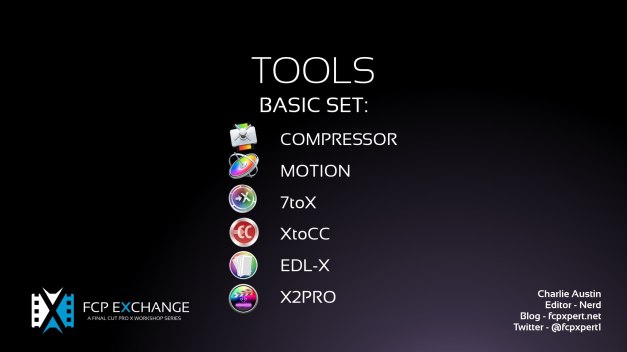
CA TRAILER WORKFLOW SLIDES.001

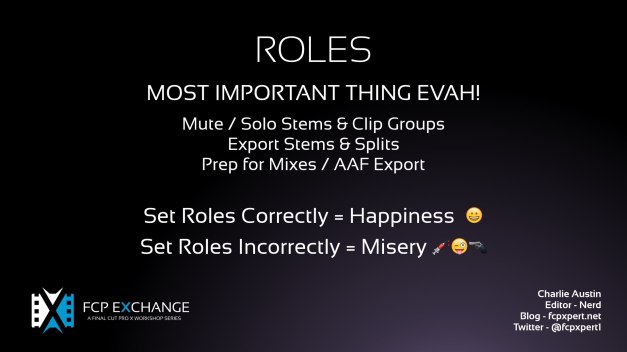
CA TRAILER WORKFLOW SLIDES.003

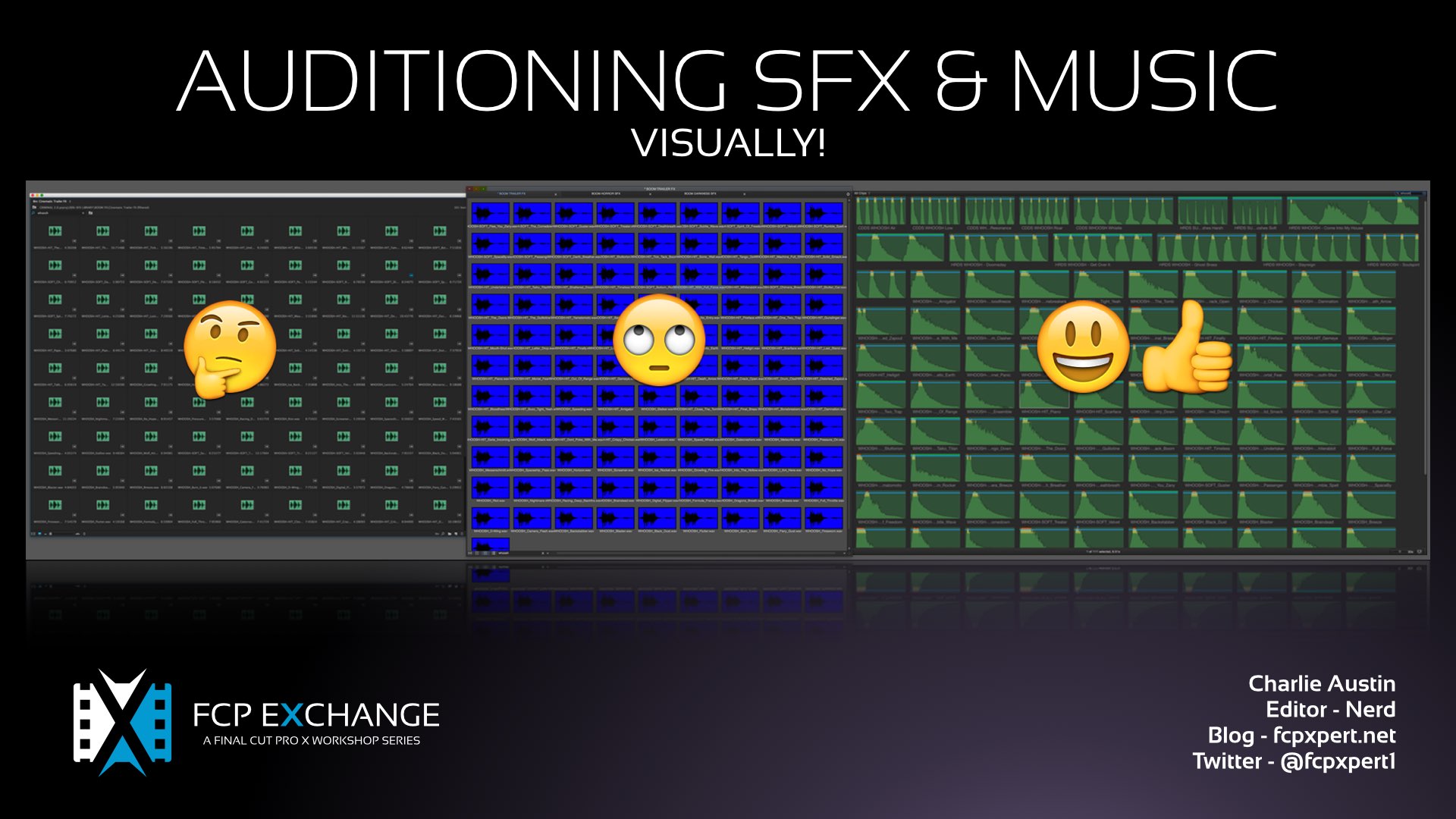
CA TRAILER WORKFLOW SLIDES.004

CA TRAILER WORKFLOW SLIDES.005

CA TRAILER WORKFLOW SLIDES.006

CA TRAILER WORKFLOW SLIDES.007

CA TRAILER WORKFLOW SLIDES.008

CA TRAILER WORKFLOW SLIDES.009

CA TRAILER WORKFLOW SLIDES.010

CA TRAILER WORKFLOW SLIDES.011

CA TRAILER WORKFLOW SLIDES.012

CA TRAILER WORKFLOW SLIDES.013

CA TRAILER WORKFLOW SLIDES.014

CA TRAILER WORKFLOW SLIDES.015

CA TRAILER WORKFLOW SLIDES.016

CA TRAILER WORKFLOW SLIDES.017

CA TRAILER WORKFLOW SLIDES.018


Gif-Tips™ – The Future of Online Training!

Posted by fcpxpert1 on February 23, 2016
Posted in: Timeline Tips. Tagged: Tips. 5 Comments

In response to a twitter message the other day, my reply included a little GIF illustration. A few people liked it, so I made some more. 🙂 Enjoy, and feel free to share if they’re of any use.

GeekCo. GIF-TIPS™

skimtip

bladetip

gathersecondarygiftip.mov

gathercliptgiftip

joinsplittiprev.mov

panhandle_tip

renamestorylinesGifTip

renamegaptip

multisecondarytip.mov

Pancakes, Shmancakes! – Premiere vs FCP X

Posted by fcpxpert1 on February 15, 2016
Posted in: FCPX At Work, Timeline Tips. Tagged: Adobe Premiere Pro, Final Cut Pro X. 10 Comments

Pancakes! Huh?

For some time now, aficionados of Premiere Pro have touted its ability to do “Pancake” editing. Huh? Well, in Premiere, you can stack (get it? stack… like pancakes) multiple timelines to quickly access string outs or sequences of selects etc., and add them to a cut. This is also often cited – by FCP X critics – as something you can’t do in FCP X.

Now, this is a really nice feature… in Premiere. But, it’s a technique that is completely unnecessary in FCP X. Why? Because in X you have access to everything, always. Have a look at the video below for an explanation. It’s not too long and rambling… honest!

Compound Clips vs. Nesting

Another “criticism” of FCP X, and alleged benefit of Premiere, is that it allows you to use a sequence as a source, and FCP X does not. Again, this is false. In X, you just do it differently… using compound clips.

In Premiere, making a sequence into a Nested Clip to use as a source is possible, but it’s really not a great way to do it. The main reason is that you can’t easily reveal the multiple clips inside the Nest once you’ve cut it into a sequence.

You also can use a sequence as a source, but the track targeting madness involved in doing that, with anything but the simplest sequence, is… maddening. So you use “Pancakes” as a workaround.

In X, using a Compound Clip made from a source project is a great way to use an existing cut as a source, as getting back to the clips in the Compound Clip is simple.  The video below illustrates this, but the difference can be summed up in these “instructions”:

How to break apart a Nested Sequence In Premiere

Ensure the nest toggle is off (upper left corner of timeline window), mark in and out on your nested clip, put the playhead at the top of the clip (in point) then match frame back to the nested sequence, then overwrite with the appropriate patching and voila your nested clip will be replaced with the contents of your original sequence.

How to break apart a Compound Clip In FCP X

Select the clip and press SHIFT-CMD-G.

FCP X Update Reaction – Have Some Cheese With Your Whine…

Posted by fcpxpert1 on February 5, 2016
Posted in: Opinion. 15 Comments

On Feb 4, Apple released updates to FCP X, other Pro Apps, and Pro Video Formats.

1023about

Lots of info on the internets about it… It’s a bug-fix update with a nice new default effect feature. Right click an effect to set it. It will show up as a command with KB Shortcut in the “Edit” menu. If you’ve modified your KB Commands you may need to manually assign the shortcuts.

defaudiodefvideo

All good right? Fixed the TC dashboard graphic glitch and other bugs, improved SAN performance, added support for more codecs, and who knows what else they tweaked under the hood. For many of us who use X, a solid update making an already stable app more stable. For many others… well, here’s a sample:

“This is just another lame bug fix update with virtually no new features.”

“…the updates are just bug fixes and tiny winny inovations.”

“But multiple YT accounts? Really?”

“Does anyone else think it is time to get worried about the FCPX update situation?”

And of course… the new refrain, mostly from disillusioned FCP 7 users dabbling in FCP X (news flash! FCP 7 is never coming back, get over it!):

“X does indeed need to start trying to keep up with Premiere.”

I’d like to respectfully (lol hahaha) address these comments in general. First of all, if you just don’t like FCP X, that’s fine. And if you use FCP X but for some odd reason think Premiere is better and more feature rich (it isn’t) then there’s one simple solution… Stop using FCP X and switch to Premiere.🙂

I use Premiere and FCP X every day. I know them both in and out. Premiere is fine, but for me, FCP X runs circles around it. I actually keep X open with a mirror of what I’m cutting in Premiere just so I can find things quicker, audition sfx easier, make better titles, etc etc…  Yes, there are more random features bolted onto Premiere. And, if you absolutely need those features, then use Premiere or whatever NLE has the stuff you need.

I’m not implying that asking for additional FCP X features is a bad thing, it isn’t. There are lots of ways in which X could be improved. What I really don’t understand is this widespread perception that Apple doesn’t care about FCP X because… There’s no mixer! It doesn’t do OMF! (really? OMF?!? from the 90’s?), or [INSERT ARCANE FEATURE FROM FCP 7 HERE] isn’t built in! Things change, if you want everything to stay just as it was you have plenty of options.

crying_baby_leo_562572

There is virtually nothing that I, as a “high end professional editor” (and I use that term very loosely) can’t do in X, or bolt on with an awesome 3’rd party plugin. Apple sells X into a lot of markets, how many people you think need EDL’s? How many need AAF export? Why should Apple waste their time with that stuff for a tiny percentage of users when 3’rd parties do it better than the built in solutions in other NLE’s? If you’re a “pro” and need things, you pay for them. Boo Hoo.

If you like FCP X, and want it to be “taken seriously” in [LA, NY, LONDON etc] then stop apologizing for it. Use it. Show people what it can do. Like everyone who uses X at the “high end”, I’m in the minority. I need to use other NLE’s, so I do, but I don’t apologize or make excuses for the fact that I think X is better. I try to demonstrate why I feel that way.

And then, inevitably… every time there’s an update to X, some people who use it find more things to complain about than the people who don’t use it. It’s like they’re saying  “I really like X!, why is Premiere so much better?”  [Ed. Note: it’s not.] Huh?!? Insanity.

Look, if there’s a feature you need for a gig that X lacks, request it. If it’s really a deal breaker, don’t complain about it, just use whatever NLE works.

If you want X to do things just like you used to do in FCP 7… then please, switch to Premiere or MC, they’re everything you’ve ever dreamed of.

Apple is kicking ass with X, many of the “new features” in other NLE’s are just lame attempts at copying Apple anyway. Hover Scrub?? Live transparent waveforms?? Optical flow?? Auto-shift overlaps in Trim Mode?? All basic FCP X functions. You want the half baked copy? Use it. But whatever you do… stop fucking whining. It’s really annoying and counterproductive.

Me, I’ll just keep using X, requesting improvements, and looking forward to the next feature update. It should be a good one!

Saving?! We Don’t Need No Stinking Saving!

Posted by fcpxpert1 on January 4, 2016
Posted in: Opinion, Uncategorized. Tagged: FCP X Workflow. 1 Comment

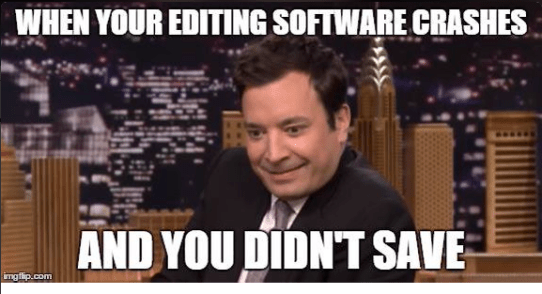
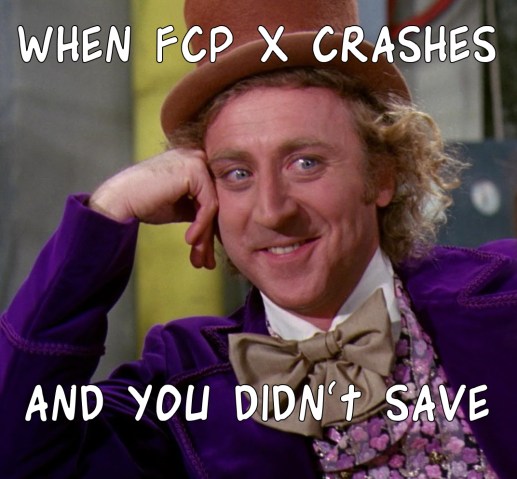
Oh, hey… Happy New Year and all that! 🙂 Just wanted to say a quick word about maybe the least talked about advantage of FCP X… that being the fact that there is no need to “save” your work. Ever. This was brought to mind by this tweet:

Screen Shot 2016-01-04 at 3.00.23 PM

To which I responded:

xcrashlol

In all seriousness though… The fact that you never need to  “save” in FCP X is an amazing feature. First of all, FCP X is very stable, but like any app it hangs or crashes once in a while. And because I’m not insane, I run backup apps to supplement the built in backups. But only once in the 3 years I’ve been cutting in X have I needed to restore a project. Once. In 3 years of pretty much daily use.

In other NLE’s, a crash is usually a nightmare, you all know the feeling. It sucks. But if X crashes, or hangs or the power goes out… It doesn’t matter. Restart X, pick up right where you left off. I’ve had the power go out right after making a cut, and that cut was there when I got everything back up.

You can debate the merits of FCP X all you want, but never worrying about saving may be, psychologically anyway, the biggest advantage of them all. 🙂

For Fuc*s Sake…

Posted by fcpxpert1 on December 14, 2015
Posted in: Opinion. Tagged: Final Cut Pro X. 6 Comments

A couple days ago, Apple posted a job opening for an Assistant Editor to work in the Beats marketing dept. The skill set required included Premiere, Avid, ProTools, and Resolve. No mention of FCP X or Logic.

Now, as this is for a position at Beats (Apple owned but a separate division) it’s likely they have an existing workflow using these apps, and for all we know they use PC’s too. Not the most PR aware thing in the world for Apple to do, but… whatever. Hell, I seriously doubt iCloud runs on Apple hardware, and it’s likely many Apple commercials are not cut using Apple software. Like Beats, the agencies they hire use whatever they use. But unlike Beats, they’re not owned by Apple, so their jobs aren’t posted on the corporate job board.

However, someone – who apparently isn’t a fan of FCP X – picked up on this, and then posted an article on The Verge with the clickbait title “Even Apple doesn’t want to use Final Cut Pro X”. It worked, the article is now linked to or referenced by everyone who ever had a problem with FCP X. It’s on anti-X websites/pages, it’s on pro-X websites and pages. And once again, the morons are out in force gleefully braying:

donkey2

They’re just making sure they get a real editor not a wedding editor. Haha

Hahaaaa, if this wasn’t proof enough!

The best part about this advert is how all the FCPX fanboys are losing their shit saying it doesn’t matter. Yet every time FCPX is used for a TV show/feature “FCPX is amazing”.

OK, first off, the “wedding editor” insult really needs to be retired. I’ve seen wedding videos that make some feature films I’ve seen look like crap. Second, the fact that Beats is hiring an editor in Culver City doesn’t in any way reflect on what software “Apple” does or doesn’t want to use.

It seems to me that the majority of the vehement FCP X hate comes from former, or current, FCP “Classic” users who have some sort of weird psychological abandonment issues with Apple. I’m not talking about people who just don’t like X, or for whom X isn’t a good workflow fit, there are perfectly valid not to use any NLE. No, I’m talking about people who either tried X once 4 years ago, or who have never used it, and revel in every bit of opinion they can find to use as confirmation bias.

I know things like this are meaningless, and I suppose by even writing this post, I’m feeding the fire. But I work in a world where people have a real hard time accepting FCP X. Not for any serious technical reasons, but because they keep hearing crap like this and giving it credence. And for the record, I do think Apple needs to figure out a better PR approach for their pro apps.

But, just in case you were wondering… the people who take pleasure in spouting this nonsense, including whoever wrote this Verge “article”, have no idea what the fuck they are talking about.

Nothing to do with FCP X…

Posted by fcpxpert1 on December 12, 2015
Posted in: Random Junk. Tagged: fun. 3 Comments

…Well, I did use X to key in Confused Travolta, so I guess that counts. In lieu of actual content, please enjoy this dual meme gif. Merry Christmas! 🙂

travwars3

Props to whoever made the original Star Wars gif, which can be found here. And the green screen thing is here. Make your own, have fun!

Connection Point Fun-SFX Spotting

Posted by fcpxpert1 on November 3, 2015
Posted in: Timeline Tips. Tagged: FCP X Workflow, Tips. 4 Comments

Here’s another of my infrequent, semi coherent tip videos. 🙂 For FCP X pros, probably nothing exciting here, it’s just a little demo about using connection points to quickly and accurately spot SFX when doing sound design. People complain about audio in FCP X all the time, but it’s actually my favorite NLE in which to do this sort of stuff.

Anyway, hope you find it useful.

EDIT: It’s been pointed out, correctly, that this is way too long… After about 2 minutes, I’ve made the point. I guess I need a producer. lol

FCP X – “Pro” Essential Companions

Posted by fcpxpert1 on October 20, 2015
Posted in: FCPX At Work. Tagged: FCP X Workflow, FCXP TOOLS. 17 Comments

I’ve done this list before, but it’s time for an update. On it’s own, FCP X is a really powerful NLE. But, if you use it “professionally” (whatever that means) there are a number of things you’ll need to add.

Need to send out EDL’s/AAF’s for finishing? Need to do rotoscoping, tracking, or work with 3D objects without switching apps? Have really crappy audio that needs fixing? Had a hard drive die? Need to change the source TC of a master file? Need to see source TC in the timeline? Need to send a project to, or import from another NLE?

If you answered “yes” to any of these questions, then here’s what you need. Some things are free, some are cheap, and some are… not. I use, or have used all of this stuff, and it’s awesome. I’ve grouped them as “Free”, “Inexpensive”, “Essential”, and “Extravagant”.

You won’t need all of this, especially the “Extravagant” stuff. However, if you dowloaded or purchased everything other than the extravagances it’ll cost about $1200. Add in the $300 for FCP X and, for $1500, you have an NLE that can do almost anything without leaving the timeline. You’d likely need 2 or 3 other apps – apps that are expensive and/or require a subscription – to do what some of these products enable.

But you don’t need to spend that much money. Mix and match. FCP X is a platform. Buy the inexpensive base app, and you can extend it to do what you want (or need), for not a lot of money. And with much of this stuff, you pay for it once and it’s yours forever, updates and and all.

This isn’t a comprehensive list, and In general I’m not listing Effects Plugins here. Google will find you a myriad of more specialized add-ons. I’m just listing what I feel is essential stuff to enhance your workflow and add functionality. No pretty pictures, just information. Hope it’s useful.

FREE STUFF

Alex 4D Widescreen Matte. Matte your footage to every aspect ratio under the sun.

Coremelt Source Timecode. Part of the Coremelt free bundle with lots of other cool stuff.

Role-O-Matic. Batch assign Roles to multichannel audio files

Digital Rebellion Preference Manager. Backup and restore preferences. Works with most other NLE’s as well

Spherico myFiles. See where every file and all effects used in a project are located on your drive(s). Great when you need to share projects and want to make sure the recipient has everything they need.

Digital Rebellion FCS Remover. Great if you need to troubleshoot/reinstall.

Slice-X Free. NEW, mocha planar tracking in the NLE. Limited to oval and rectangle shapes. Full version below adds way more flexibility

Resolve 12. Besides being the standard for Color Correction and having a decent NLE as well, It’s kind of a Swiss Army Knife for FCP X. Translate FCP X projects to Media Composer. Not flawlessly, but it works. 🙂

FxFactory. In addition to the many paid plugins, there are tons of great workflow freebies. I recommend disabling all the demos as soon as you install it though, it’s a little intrusive. Also I highly recommend anything in here from Hawaiki. Not free, but awesome.

INEXPENSIVE ESSENTIALS ($50 or less)

Compressor ($49.99) & Motion ($49.99) If you don’t own these, get them now. WTF is wrong with you?! lol

X-Wiper. ($4.99) Easily slim down Libraries. Deletes render files and other crap with one click. Run it before you archive Libraries to save drive space.

Backups for Final Cut Pro. ($17.99) You need this. If you don’t run some sort of backup app, you are a fool. Easy to use incremental backups, works great.

Pro Versioner ($49) Another backup app. I run this as well, can’t be too careful! This one works with most other major NLE’s

7toX ($9.99), and XtoCC ($49.99)  Get your stuff to and from other NLE’s. You will need these sometime, just get ‘em. 🙂 IA  has a lot of other great tools for production workflows as well.

Marker. ($19.99) Easily keep track of Media Files used in FCP X in the Finder.

Final Cut Library Manager. ($22) While I prefer the simplicity of X-Wiper for Library cleaning, FCLM is a really great app for keeping track of stuff across drives, creating Library templates, and other useful tasks. A bargain.

ESSENTIAL PRO APPS ($150 or less.)

Sound Soap. ($149) Audio noise removal at a very nice price. Standalone and plugin versions. Great results.

mObject Pro Bundle. ($149). A true 3D environment, text and objects, right inside FCP X. Works with Motion too.

EDL-X. ($99.99) Sadly, you still need this. Happily, it’s a great tool! It generates really good EDL’s right from FCP X. Better and more detailed than the built in stuff other NLE’s spit out.

SliceX/Track X bundle. ($149) Planar tracking in FCP X. Amazing. There are lots of other Coremelt bundles available here, but you need this one.

X2Pro. ($150) Create AAF audio packages to import into DAW’s for mixing. Great app, don’t bother with the cheaper LE version. Preps your project for mixing better than anything else using Roles. 2 clicks, done. all split out with tracks named. If you get asked for OMF, which is a dead format unless you use Fairlight without the AAF add on, use this. Any modern system will open it just fine.

Color Finale. ($99) Powerful supplement to FCP X’ built in tools. Wheels, Curves, LUT’s and more. Great stuff.

ClipXporter. ($109+ in app purchase for xtra functions) Export clips and projects for Ae, Nuke, or just trimmed media. Great app. Great integration with Frame.io as well.

Producers Best Friend. ($99) Create detailed spreadsheets listing pretty much everything in a project. No more reporting hell, just a couple clicks and you’re done.

Digital Rebellion Pro Maintenance ($129) and Pro Media ($99) Tools. dozens of media and system repair and analysis tools. Well worth the money. If you can only get 1, get the Media Tools. Both packages work with all major NLE’s

EXTRAVAGENT PRO APPS (Pricey, but awesome.)

Izotope RX5. ($349+ depending on version) Gold standard of audio repair/analysis. Works in most NLE’s and DAW’s as well

Boris SoundBite. ($295) Find words in source files by analyzing waveforms. kind of indispensable, for me anyway.

Stereo3d Toolkit. ($1499) Edit Stereo 3d material in FCP X There’s a $99 LE version as well

There ya go. Start downloading! 🙂

Posts navigation

← Older Entries
Newer Entries →
  • Recent Posts

    • FCP 10.6 – Here We Go Again!
    • FCP Comes Through-An (old) Anecdote
    • Happy New Year!
    • LumaTouch – fcpxml Export to FCP X
    • Drive By Post – Multi NLE Workflow Fun!
    • 🎅🏼Christmas Crap – An FCP X Re-Gift!
    • FCP X update and Mojave Menu Glitch
    • Quick Tip – Save Open Windows On FCP X Quit
    • Great Doc about FCP X
    • Fade To Whatever – Dissolves in FCP X and Premiere
  • Post Finding Thing

  • Enter your email address to follow this blog and receive notifications of new posts by email.

  • Always Interesting

    • The JetHead Blog
    • digitalfilms
    • www.philiphodgetts.com/
    • Alex4D
  • Nerd Department

    • Create account
    • Log in
    • Entries feed
    • Comments feed
    • WordPress.com
Create a free website or blog at WordPress.com.
The JetHead Blog

... the world from 40,000' at 500 mph.

digitalfilms

a blog by Oliver Peters

www.philiphodgetts.com/

Just another WordPress.com site

Alex4D

Deep Thoughts about FCP X, and why you should be using it.

Final Cut Pro X Babbling
Create a free website or blog at WordPress.com.
Privacy & Cookies: This site uses cookies. By continuing to use this website, you agree to their use.
To find out more, including how to control cookies, see here: Cookie Policy
  • Subscribe Subscribed
    • Final Cut Pro X Babbling
    • Join 241 other subscribers
    • Already have a WordPress.com account? Log in now.
    • Final Cut Pro X Babbling
    • Subscribe Subscribed
    • Sign up
    • Log in
    • Report this content
    • View site in Reader
    • Manage subscriptions
    • Collapse this bar
 

Loading Comments...